.png?width=175&height=50&name=NewOrg%20Logo%20(3).png)
As nonprofits grow, the tools used to manage information must evolve as well.  Relying on spreadsheets, paper records, or multiple
disconnected systems can make it difficult to maintain accurate data and collaborate effectively. CRM software is often introduced to help nonprofits organize information, centralize data, and improve visibility across teams. However, not every CRM is designed
with nonprofits in mind, and capabilities can vary widely between platforms.
The goal of this article is to provide a clear, practical overview of CRM software for nonprofits, including its benefits, limitations, and guidance on how to determine whether it is the right solution for your organization.
What Is a Nonprofit CRM
.svg) A nonprofit CRM is a software system designed to store and organize information about an organization’s partners, volunteers, donors, and other stakeholders. Its primary role is to provide a structured way to capture and maintain relationship data so it can be accessed and used consistently across the organization.
A nonprofit CRM is a software system designed to store and organize information about an organization’s partners, volunteers, donors, and other stakeholders. Its primary role is to provide a structured way to capture and maintain relationship data so it can be accessed and used consistently across the organization.
By using a CRM, nonprofits gain greater operational clarity and efficiency. Teams no longer need to piece together information from separate sources to understand engagement or performance. Instead, staff and leadership can rely on shared data to support collaboration, improve reporting accuracy, and make decisions with greater confidence.
Essential CRM Features for Nonprofit Success
When nonprofits evaluate CRM software, the quality and flexibility of its features often determine whether the system can support both current needs and future growth. For small nonprofits in particular, core CRM features play a critical role in maintaining strong client relationships without adding unnecessary complexity or administrative overhead. A strong CRM should go beyond basic contact storage and provide tools that support fundraising, engagement, and operational insight.
The following CRM features are commonly used to support nonprofit operations of any size and help organizations scale with greater efficiency and visibility.
.svg)
Contact and Relationship Management
At the core of any CRM is a complete view of relationships across the organization. This includes donors, volunteers, partners, event participants, and other stakeholders. An effective CRM should allow staff to:
- Maintain detailed contact records
- Track communication and engagement history
- Record notes and personalized interactions
- Manage household or organizational relationships
- Segment contacts for targeted outreach
Strong relationship management helps teams stay aligned and reduces duplicated effort.
Donation and Engagement Tracking
To support donations and participation efforts, nonprofit CRMs typically include tools for tracking both contributions and engagement activities. These capabilities often include:
- Recording one-time and recurring donations
- Tracking pledges, campaigns, and giving history
- Capturing event participation and volunteer activity
- Linking engagement data back to individual profiles
Many organizations also rely on these CRM tools to support volunteer management by tracking participation, communications, and engagement history alongside donor data. Together, these features help nonprofits better understand supporter behavior and strengthen stewardship efforts.
Task Automation and Workflow Support
As nonprofits grow, manual processes can quickly become a bottleneck. CRM automation helps organizations streamline routine tasks and maintain consistency without increasing staff workload. Common automation features include:
- Follow-up reminders for outreach or acknowledgments
- Rules-based workflows for assigning tasks
- Automated segmentation based on engagement activity
- Scheduled notifications
Automation improves consistency and reduces reliance on manual tracking.
Advanced Reporting and Dashboards
Access to timely, accurate data is essential for informed decision-making. Reporting tools and dashboards make it easier for teams to:
- Monitor donation performance over time
- Compare engagement across campaigns or initiatives
- Export data for board reporting or grant applications
- Share visual summaries with leadership
Clear reporting supports transparency and strategic planning.
User Access and Permissions
As organizations grow, managing data access becomes increasingly important. Essential security features include:
- Role-based user permissions
- Audit logs that track data changes
- Secure authentication options
- Configurable access by role or department
These controls help protect sensitive information and maintain data integrity.
Integrations with Other Tools
A nonprofit CRM should integrate smoothly with the broader technology ecosystem to support day-to-day operations. Common integrations include:
- Email marketing and donor communication tools
- Online donation and intake forms
- Accounting and financial systems
- Event management platforms
For organizations using a simpler CRM setup, integrations with email outreach and donor communication tools help maintain consistent engagement and reduce manual data entry. Strong integrations improve accuracy and create more efficient workflows across teams.
Data Security and Privacy Considerations for Nonprofit CRMs
As nonprofits manage growing volumes of personal, financial, and program-related data, security and privacy become organizational responsibilities, not just software features. This is especially true for organizations handling sensitive client records, donor data, or information related to vulnerable populations.
For nonprofits evaluating CRM software, security is a critical consideration. While many platforms offer baseline protections, not all systems are designed to operate as a secure CRM for sensitive donor data. Strong access controls, auditability, and clear data governance are essential for protecting sensitive stakeholder information and maintaining trust.
Nonprofits delivering human services, healthcare, or social programs often face additional compliance and data governance requirements that extend beyond standard CRM functionality. Understanding how data is stored, accessed, monitored, and protected is an important part of determining whether a traditional CRM aligns with internal policies and external expectations.
Where Traditional CRMs Fall Short for Service-Based Nonprofits
.svg)
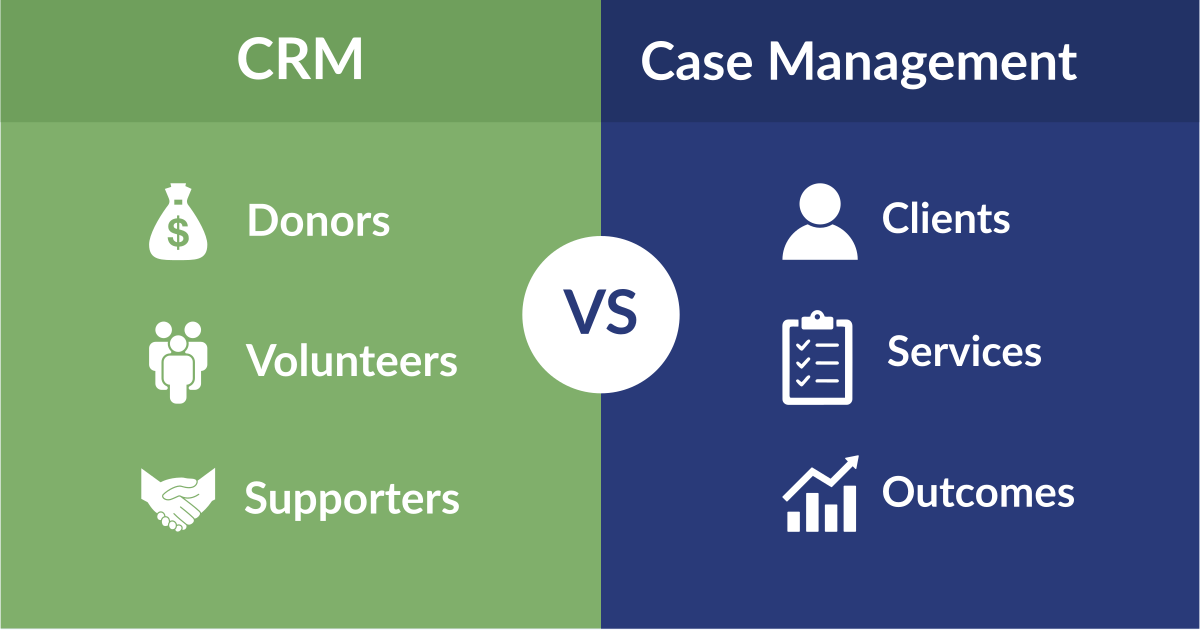
While CRM software is effective for managing relationships, it is rarely built to support service delivery.
Most CRMs lack structured case management capabilities. They are not designed to document intakes, assessments, service plans, case notes, outcomes, or ongoing client interactions across programs.
Reporting limitations also emerge quickly. Service-driven nonprofits often require program-level, funder-specific, and longitudinal reports that extend far beyond standard CRM dashboards.
In addition, CRM platforms often struggle with complex workflows. Human services organizations frequently need configurable processes for eligibility determination, referrals, approvals, and cross-program coordination.
When CRM Software Is No Longer Enough
For many nonprofits, there comes a point where managing relationships alone is no longer sufficient to support day-to-day operations. As organizations begin delivering services, coordinating multiple programs, or handling more sensitive information, their technology needs change.
At this stage, nonprofits often benefit from platforms designed to support both relationship management and service delivery within a single system. These solutions typically include structured case management, configurable workflows, program-level reporting, and stronger data governance to support daily operations and evolving compliance requirements.
Rather than layering additional tools on top of an existing CRM, many organizations look for a comprehensive platform that reflects how their work actually happens day-to-day. Consolidating systems can reduce complexity, improve visibility across programs, and create a more sustainable foundation as services and reporting demands grow.
Platforms like NewOrg are designed to support this transition by bringing relationship management, case management, reporting, and workflow tools together in one secure system built specifically for service-based organizations.
Conclusion
CRM software can be a valuable starting point for nonprofits looking to organize relationships and improve visibility across their organization. For many teams, it helps create structure and consistency in how information is managed.
As programs expand and operational needs evolve, it becomes increasingly important to understand where CRM software fits and where additional capabilities may be required. Taking the time to evaluate technology choices in the context of service delivery, reporting, and data governance can help nonprofits build systems that support both their mission and long-term growth.
.svg)